


UPERFECT 18″ 120Hz PortableTouchscreen
This is the 1st 18 inch 120Hz TOUCH screen all over the world; UPERFECT dedicated in innovation for over 15 years, always take customer’s needs into concern. With 10-point sensitive touch, you can tap to productivity;


120Hz Portable Gaming Monitor for Competitive Edge
Dominate games with a buttery-smooth 120Hz refresh rate, reducing motion blur and input lag. The portable laptop monitor’s 16.7M-color 8-bit panel ensures lifelike visuals, while 100% sRGB coverage caters to both gamers and professionals needing color precision. Perfect for fast-paced titles or editing tasks on-the-go.


Touch Function – Wide Applications
Features a smooth glass screen with 10-point capacitive touch for quick, responsive interaction. Resists fingerprints and scratches. Plug-and-play with Windows.


Wide Compatibility & VESA Support
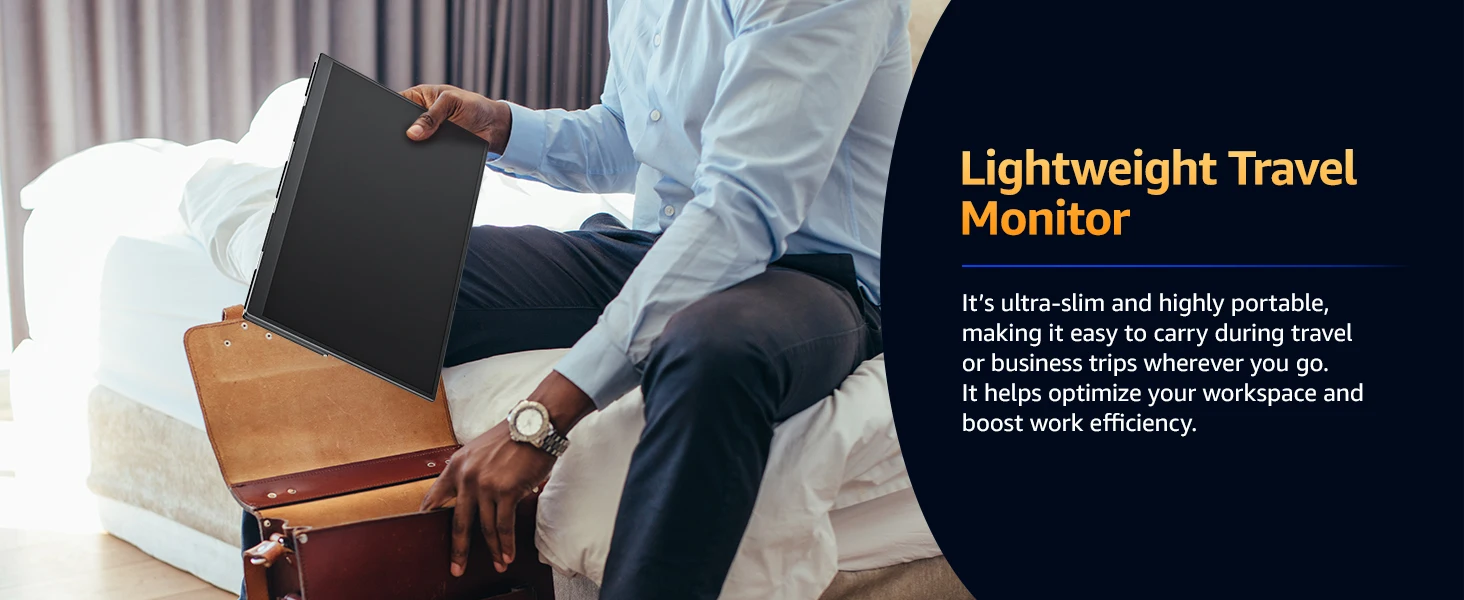
This 120hz portable touchscreen monitor comes with 2 Type-C ports and a Mini HDMI port, ensuring seamless connectivity with game consoles, laptops, PCs, tablets, and phones. Its VESA compatibility and 180° adjustable kickstand make it an ideal travel companion. Protective case not included; reach out if needed.


Multiple Ports
Equipped with a mini HDMI port and 2 USB C 3.1 ports, you could connect to laptop, PC, Phone, PS 3/ 4, Wii, Steam Deck and Switch; Which could really boost your work productivity and joy of game; This UPERFECT portable computer monitor is suitable for most laptops.


Wide Compatibility
Equipped with 2 full-function Type-C ports and 1 standard HDMI port. Excellent port stability and compatibility, seamlessly connect game console, laptop, PC, tablet and mobile phone.


Product Specifications
Model: 18.5″ Touchscreen Monitor
Touch:10 point touch
Resolution: 192×1080
Display Color: 16.7M
Visual Angle: 178° Full View Angle
Contrast Ratio: 1000:1
Brightness: 400 cd/㎡
Refresh Rate: 120Hz
NTSC: 88%
sRGB: 100%DCI-P3
Response time : 16ms
Display area: 387.76(W)×242.35(H)
Bulit-in Speakers: Dual 8Ω 1W Speakers
Input Interface:
√ 1*mini HDMI (signal source)
√ 2*Type C (full-featured type c, USB PD protocol (プロトコル) can both power supply and signal transmission)
√ 1*3.5mm headphone jack
VESA:75mm*75mm
Screen Type: mirror
Color: Black
What’s in the box
1 x Monitor
1 x MINI HDMI cable (4K)
2 x C-C line
1 x U-C line
1 x PD30W power head
1 x Instruction manual
Support Single Type-C Cable For Display & Power Device Model
– Mobile Phones Support USB 3.1:
For Samsung: Samsung Galaxy S8, S8+, S9, S9+, S10, S10+, S10e,S20,S20+,S20 Ultra,S21,S21+,S21 Ultra,S22,S22+,S22 Ultra, Note 8, Note 9,Note 10
For Huawei: P50 Pocket/40 Pro/40/30/20/10/9 Series, Mate X/Xs/X2/40 Pro/40/30/20/10/9 Series, Honor Note 10,Honor Magic V/3/Pro/Pro+/4/4 Pro/4 Ultimate;
For SONY: Xperia 1 / 1 II/1 III/1 IV/5/5 II/5 III/10 III/Pro/Pro-I;
For OnePlus: 7/7 Pro/8/8 Pro/9/9R/9 Pro;
For OPPO: Find X3 Pro/Reno 10x Zoom/Reno 5G/R17 Pro (OPPO RX17 Pro in Europe);
For LG: V60/V50/V40/V35/V30/V30+/V20 Series,G8/G7/G6/G6+(with Dec 2018 update)*functionality has not been tested*/G5 Series,Q8;
For HTC: 10/U Ultra/U11/U11+/U12+/U19e,Exodus 1;
For ASUS:ROG Phone/Phone II/Phone 3/Phone 5/Phone 5s Series,ZenFone 3 Ultra,ZenFone AR,ZenFone Ares;
For Motorola: Edge+/Edge S (China variant)/Moto G100 (global version for European market)/ Edge 20 Pro/30 Pro(global variant)/X30;
For Xiaomi: Black Shark 2/3/4;
For ZTE: Axon 9 Pro/10 Pro,Nubia Red Magic 6S Pro/7/7 Pro;
Others: BlackBerry Key2,BQ Aquaris X2,Essential Phone,Fairphone 4,Lenovo Legion Phone Duel/2 Pro/Duel 2,NOKIA 9 PureView, Microsoft Lumia 950/950 XL, HP Elite x3,Razer Phone/Phone 2,Fairphone 4;
*NOTE: If you can not find your devices above, please use IOS/Android to HDMI Adapter for connecting.
– Laptops Support Thunderbolt 3 or USB 3.1:
For Apple: Apple MacBook Pro (Late 2016) and newer,Apple MacBook Air (Late 2018) and newer ;
For Huawei: MateBook D/X/X Pro/E/13, MagicBook;
For ASUS: ZenBook, U4100UN, U5100UQ, ROG Series;
For HP: EliteBook Folio G1, Spectre 13,ZbookZbook Studio;
For Dell: G3/G5/G7 Series, Inspiron 5000/7000 Series, XPS12/13/15;
For Lenovo: Thinkpad E580/T470/T470s/T480/T480s/X1 Carbon (2017-2019);
For MIUI: Air 12.5″/133.3″, Pro 15.6″, MI Game NoteBook
For Google: ChromeBook Pixels
For Razer: Blade Stealth Series (All)
For Microsoft: Surface Book 2
Others: Acer Swift 5,MSI GS60 6QE,Gigabyte Aero 15x/15 x9/15 y9;
*NOTE: If you can not find your devices above, please use mini HDMI cable instead.
Q. How to get touch function?
1. When the devices you connect with the monitor own a Type-C 3.1 port, you can get the touch function just using a C-C cable to connect.
2. When you connect the device with the monitor through mini HDMI port, please use the A-C cable to plug in the Type-C port on the monitor for the touch function. And don’t forget to plug in power adapter.
3. When connect to phones without Type-C 3.1 port or iphone, you would need an ios/android to HDMI adapter and a mini HDMI to HDMI adapter to connect to the monitor for signal transmission. And please check what the port is on your devices and note that there will be NO TOUCH function in this case. Please make sure you don’t mind before you place an order.
4. We recommend you to plug in the original power adapter to get sufficient power for the monitor and work smoothly. Or it would have some issues such as flickering, on-and-off and so on.
Q: Why does my monitor not turn on?
1.Please check whether the Type-C port of your device is a full-featured Type-C port,which can support power and signal transmission.lf not, please use HDMl to MiniHDMI cable to transmit video signal, and use USB-C to USB-C cable to connectexternal power supply.
2.This may be caused by insufficient power supply.The minimum power requirementfor the monitor is PD 30W.Especially when you need to run the display at 120hz, thepower consumption will be relatively large, it is recommended to use an externalpower supply, otherwise the monitor may not work properly.
3.lf the above steps still cannot solve your issue, please feel free to contact us.
Q: It says “no signal”, what to do?
1.When connecting with a USB-C cable, make sure your device supports USB3.1./Thunderbolt 3.lf not, please add a Mini HDMl to HDMl cable for signaltransmission.
2.Please make sure to use the original cables.
3.Please try another device. If it still fails, please tell us for a replacement.
Q: why does my monitor turn off when l turn up the brightness?
This is caused by insufficient power supply.Turning up the brightness will increasethe power consumption, which can be solved by an external power supply.
Q: Abnormal conditions occurred -such as a splash screen, spots when using themonitor or constant restarts.
1.lt is generally caused by an insufficient power supply.The monitor require highpower support.Please use the original cable included to power the monitor.
2. lf you use a mobile power bank to power the monitor, please confirm whether thepower of the power bank reaches 30w or more. Inaddition, if you need a power bank,please contact us .
3.lf none of the above solutions work, please try another device. If it still failed,please contact us for a replacement.
lmportant Tips:
lf you find any issues with your monitor, please contact us before returning it. We will help you solve your problems and tryour best to make you satisfied. We take full responsibility for our products.
lf there are any defects that cannot be solved, we will refund or send you areplacement.
Reviews
There are no reviews yet.